
Golden chance for those who have lost money, claim up to Rs 10 lakh again Sahara Group depositors can now claim refunds up to ₹10 lakh—increased from the previous ₹50,000 limit—via the official CRCS-Sahara Refund Portal. This allows investors with previously rejected or higher-value claims to re-submit, with refunds expected to be processed within 45 days. The deadline has been extended to 31.12.2026.
In an Interlocutory Application filed by the Ministry of Cooperation in WP (C) No.191/2022 (Pinak Pani Mohanty vs UoI & ors.), the Hon’ble Supreme Court on 29.03.2023 inter alia ordered that:
“(i) Out of the total amount of Rs. 24,979.67 Crores lying in the “Sahara-SEBI Refund Account”, Rs. 5000 Crores be transferred to the Central Registrar of Cooperative Societies, who, in turn, shall disburse the same against the legitimate dues of the depositors of the Sahara Group of Cooperative Societies, which shall be paid to the genuine depositors in the most transparent manner and on proper identification and on submitting proof of their deposits and proof of their claims and to be deposited in their respective bank accounts directly.
(ii) The disbursement shall be supervised and monitored by Justice R. Subhash Reddy, Former Judge of this Court with the able assistance of Shri Gaurav Agarwal, learned Advocate, who is appointed as Amicus Curiae to assist Justice R. Subhash Reddy as well as the Central Registrar of Cooperative Societies in disbursing the amount to the genuine depositors of the Sahara Group of Cooperative Societies. The manner and modalities for making the payment is to be worked out by the Central Registrar of Cooperative Societies in consultation with Justice R. Subhash Reddy, Former Judge of this Court and Shri Gaurav Agarwal, learned Advocate.”
Since its formation, Ministry of Cooperation has taken number of initiatives to strengthen the cooperative movement in the country and to protect the interests of the members of the cooperatives
As a part of these initiatives and to address the grievances of genuine members/depositors of Sahara Group of Cooperative Societies for payment of their legitimatedeposits, an application was filed by the Ministry of Cooperation in the Hon’ble Supreme Court of India, on which the Hon’ble Supreme Court vide its orderdated 29.03.2023 directed that Rs. 5000 Crores be transferred out of the “Sahara-SEBI Refund Account”, to the Central Registrar of Cooperative Societies (CRCS) fordisbursement against the legitimate dues of the genuine depositors of the Sahara Group of Cooperative Societies in the most transparent manner and on proper identification and on submitting proof of their identity and deposits and proof of their claims and to be deposited in their respective bank account directly.Accordingly, this Portal has been developed for submission of legitimate claims by the genuine depositors of four Cooperative Societies namely; Sahara Credit Cooperative Society Ltd., Saharayan Universal Multipurpose Society Ltd., Humara India Credit Cooperative Society Ltd. and Stars Multipurpose Cooperative Society Ltd. The Portal is user friendly, efficient and transparent and the entire process is digital. The genuine depositors of these Societies may login the portaland submit their claims by filling online application form available on the portal and uploadrequisite documents. The depositors are requested to ensure that they have Aadhar linked mobile number and Bank Account alongwith requisite documents as proof of their claim and deposits. The application will be verified by Sahara Group of Cooperative Societies within 30 days of submission. Decision will be communicated via sms/ portal within further 15 days i.e. within 45 days of filing of online claim. Depositors are requested to submit all the claims pertaining to all the four societies in the same claim application form. Only claims filedonline through the portal will be entertained.There is no fee for submitting claim.
For any technical support and enquiry, you may contact the following numbers:
Portal Help desk numbers:
01120909044 / 01120909045
Societies numbers:
0522 6937100 / 0522 3108400 / 0522 6931000 / 08069208210
Contact hours 09:30 AM to 6:00 PM, Monday to Friday (except on Central Government holidays)
Saharayn Universal Multipurpose Society Ltd., Bhopal, Humara India Credit Cooperative Society Ltd., Kolkata and Stars Multipurpose Cooperative Society Ltd., Hyderabad for refund of their legitimate deposits. Entire process of disbursement is digital and paperless and is being carried out under the supervision and monitoring of Justice R. Subhash Reddy, Former Judge of Hon’ble Supreme Court with the assistance of Shri Gaurav Agrawal, Amicus Curiae.
Applications received on the Portal are being processed in transparent manner, on proper identification and on submitting proof of their identity and deposits. The payment is being deposited directly in Aadhaar seeded bank account of the genuine depositors. Presently, payment only upto Rs.50,000/- is being disbursed to each genuine depositor of the Sahara Group of Cooperative Societies against verified claims through Aadhaar seeded Bank account.
Further, in case of any deficiency found in the application of the depositor on the portal, deficiencies are being conveyed to them for re-submission of their application through the re-submission portal already launched on 15.11.2023.
The Hon’ble Supreme Court has ordered that additional amount of Rs. 5,000 Crore be transferred from ‘Sahara-SEBI Refund Account’ to Central Registrar of Cooperative Societies and granted extension for disbursement of refund to the depositors upto 31.12.2026. An amount of Rs. 8,429.42 Crore has been disbursed to 39,46,550 depositors of Sahara Group of Cooperative Societies as on 20.01.2026. State-wise details of refund of deposits including State of Rajasthan is attached as Annexure. As per Standard Operating Procedure (SOP), District-wise, Lok Sabha Constituency-wise details of the depositors is not maintained on the “CRCS-Sahara Refund Portal”.
Annexure
| State Wise Application Received and Refund made through CRCS Sahara Refund Portal (As on 20.01.2026) | |||||
| S. No | State/UT’s | Applications Received | Aggregate Claim Amount(Rs. In Cr.) | Applications Processed | Amount Disbursed(Rs. In Cr.) |
| 1 | Andhra Pradesh | 384038 | 2582 | 81491 | 197.75 |
| 2 | Arunachal Pradesh | 259 | 3.03 | 49 | 0.12 |
| 3 | Assam | 487025 | 2762 | 103367 | 200.30 |
| 4 | Bihar | 2800657 | 18062 | 968713 | 1892.89 |
| 5 | Chhattisgarh | 432384 | 2991 | 71969 | 176.63 |
| 6 | Goa | 10248 | 117.08 | 3883 | 8.70 |
| 7 | Gujarat | 563436 | 3881 | 55774 | 136.63 |
| 8 | Haryana | 200641 | 1734 | 65466 | 177.23 |
| 9 | Himachal Pradesh | 25137 | 237.98 | 11592 | 28.90 |
| 10 | Jharkhand | 1395418 | 9832 | 373588 | 847.67 |
| 11 | Karnataka | 37189 | 359.39 | 11862 | 25.66 |
| 12 | Kerala | 70 | 1.05 | 15 | 0.05 |
| 13 | Madhya Pradesh | 906661 | 6689 | 155049 | 355.04 |
| 14 | Maharashtra | 128061 | 1214.23 | 34467 | 82.49 |
| 15 | Manipur | 870 | 7.41 | 410 | 0.84 |
| 16 | Meghalaya | 90 | 0.47 | 15 | 0.03 |
| 17 | Mizoram | 58 | 3.35 | 14 | 0.03 |
| 18 | Nagaland | 346 | 3.45 | 87 | 0.19 |
| 19 | Odisha | 1144561 | 7204 | 340204 | 707.56 |
| 20 | Punjab | 41016 | 369.74 | 16551 | 42.92 |
| 21 | Rajasthan | 1213140 | 9336.48 | 246118 | 604.44 |
| 22 | Sikkim | 1125 | 34.60 | 199 | 0.54 |
| 23 | Tamil Nadu | 1707 | 20.85 | 342 | 0.95 |
| 24 | Telangana | 79709 | 742.91 | 33493 | 94.64 |
| 25 | Tripura | 29999 | 205.28 | 14428 | 27.86 |
| 26 | Uttar Pradesh | 3566550 | 23081 | 1079800 | 2228.27 |
| 27 | Uttarakhand | 61060 | 455.56 | 29459 | 74.30 |
| 28 | West Bengal | 739677 | 4246 | 203185 | 397.04 |
| 1 | Andaman and Nicob | 218 | 1.79 | 43 | 0.09 |
| 2 | Chandigarh (UT) | 5048 | 63.64 | 1912 | 5.18 |
| 3 | Dadra and Nagar Haveli and Daman and (UT) | 1333 | 21.53 | 73 | 0.17 |
| 4 | Delhi | 117399 | 1146.56 | 42896 | 114.25 |
| 5 | Jammu and Kashmir | 80 | 0.92 | 19 | 0.04 |
| 6 | Puducherry (UT) | 101 | 0.88 | 17 | 0.02 |
| 7 | Lakshadweep (UT) | 2 | 0.01 | 0 | 0.00 |
| 8 | Ladakh (UT) | 0 | 0.00 | 0 | 0 |
| Grand Total | 1,43,75,313 | 97,412.19 | 39,46,550 | 8,429.42 | |
This information was given by Union Minister for Home and Cooperation Shri Amit Shah in a written reply in Lok Sabha.
Key Details for Sahara Refund 2026:
- Maximum Claim Limit: Increased to ₹10 lakh.
- Eligibility: Investors in Sahara Cooperative Societies whose claims were pending or rejected due to technical issues can re-apply.
- Where to Apply: Use the official Sahara Refund Portal: https://mocrefund.crcs.gov.in/.
- Resubmission Portal: https://mocresubmit.crcs.gov.in/.
- Required Documents: Proof of deposit (bond/certificate), PAN/Aadhaar card, and Aadhaar-linked bank account.
- Process Time: Verification and payment occur within approximately 45 days (30 days for verification + 15 days for notification).
- Cost: The process is free of charge.

Bank Balance Shock 2026: HDFC Bank New Minimum Balance Rules Every Account Holder Must Know
A major banking update in 2026 has drawn attention from customers as HDFC Bank’s latest minimum balance requirements continue to be an important rule for savings account holders. Many customers often overlook these rules, but failing to maintain the required balance can lead to penalty charges. Understanding the latest Average Monthly Balance requirements and related charges can help account holders avoid unnecessary banking fees. The Supreme Court has directed the transfer of additional funds (₹5,000 crore) to the Central Registrar of Cooperative Societies (CRCS) for these repayments. S
ahara Refund Updates: If you have deposited money with Sahara India and have not yet received the money in your account despite filing a claim, this news is very important for you. The Sahara India Refund Portal has once again opened the resubmission option. The CRCS-Sahara Refund Portal is the official government platform for depositors of Sahara Group’s cooperative societies to claim their stuck funds. Sahara Refund Portal: Login, Check Refund Status, Process, How to Apply Online Depositors who have invested in the Sahara Group of Cooperative Societies can now claim their refunds easily. The Sahara Refund Portal helps genuine investors to claim their refunds online.
Learn how to navigate the Sahara refund process, check your eligibility, and claim your money seamlessly through the official portal.
Latest Update:
As on July 23, 2025, in line with the Supreme Court’s order 27,33,520 depositors of Sahara Group of Cooperative Societies received an amount of ₹5,139.23 crore out of 1,35,34,410 depositors. The amount of ₹523.72 crore was available for disbursement. The deadline for processing claims is extended till December 31, 2025.
Sahara India Refund 2025
The Sahara India Refund process aims to return funds to investors who made deposits and have outstanding dues with the Sahara Group, part of the renowned Sahara India Pariwar conglomerate. In recent years, the Sahara India Refund Portal has played a vital role in facilitating refunds for eligible and genuine investors.
Here is an overview of the Sahara India Refund:
| Name | Sahara India Refund |
| Launched By | Government of India |
| Purpose | To return funds to depositors having outstanding dues with the Sahara Group |
| Principal Amount Payment | Up to ₹50,000 |
| Eligibility | Investors of Sahara Group of Cooperative Societies |
| Application | Online |
| Application Fees | No charge |
| Application Start Date | 18 July 2023 |
| Application Last Date | No official deadline |
| Sahara India Helpline Number | 01120909044 / 01120909045 |
| Sahara Refund Official website | https://mocrefund.crcs.gov.in/depositor/#/home |
| Sahara Refund Resubmission Official website | https://mocresubmit.crcs.gov.in/resubmission/#/home |
Key Points of Sahara India Refund
The first installments of refunds have already been processed.
Refunds of up to are directly credited to the bank accounts of investors linked with Aadhaar through DBT
Only verified claims of genuine depositors are refunded through through Aadhaar seeded bank account.
Resubmissions for claim aggregating up to ₹5,00,000 can be done by investors.
What is Sahara Refund Portal?
Launched on July 18, 2023, the Sahara Refund Portal provides a streamlined platform for depositors of four prominent cooperative societies to submit legitimate refund claims. The eligible societies include:
- Humara India Credit Cooperative Society Limited, Kolkata
- Sahara Credit Cooperative Society Limited, Lucknow
- Saharayan Universal Multipurpose Society Limited, Bhopal
- Stars Multipurpose Cooperative Society Limited, Hyderabad
Designed for efficiency and transparency, the portal ensures a hassle-free experience for users. Learn how to access the portal, check your eligibility, and apply for refunds online with ease.
Central Registrar of Cooperative Societies
Since the launch of the Sahara Refund Portal, the Ministry of Cooperation has taken steps to protect depositors’ interests. Following a Supreme Court directive, ₹5,000 crores were transferred from the ‘Sahara SEBI Refund Account’ to the CRCS for disbursing refunds to genuine depositors.
To claim a refund, depositors must provide proof of identity, claim details, and ensure their Aadhaar is linked to their mobile number. No fees are charged for claims. Claims are verified within 30 days, and depositors are notified via SMS within 15 days after verification, completing the process in 45 days.
Sahara Refund Portal Link
The applications submitted in CRCS-Sahara Refund Portal have been processed and payment upto Rs. 50,000 or less per application has been paid to eligible depositors, whose claims could be verified. For depositors, whose claims could not be verified due to deficiencies in their claim, deficiency messages have been communicated through the “CRCS-Sahara Refund Portal”. This CRCS-Sahara Refund Portal (Resubmission) has been launched for re-submission of claims after rectification of deficiencies. These depositors may rectify the deficiencies for each of their deficient claims and resubmit their claims for further processing through the Resubmission Portal, which has been opened for depositors with deficiencies in phased manner so as to manage the load on the portal.
Depositors may resubmit their claims now as per following schedule: –
| Aggregate Claim Amount | From |
|---|---|
| Up to ₹1,00,000 | 14th May, 2024 Onwards |
| Up to ₹5,00,000 | 20th May, 2024 Onwards |
| Up to ₹10,00,000New | 19th November, 2025 Onwards |
The Resubmission Portal shall process the resubmitted claims within 45 working days from resubmission of the online claim. Depositors are requested to resubmit all the claims with deficiencies pertaining to all the four Societies in the resubmission application form. Only claims resubmitted online through the portal shall be entertained.
For any technical support and enquiry, you may contact the following numbers:
Portal Help desk numbers:
01120909044 / 01120909045
Societies numbers:
0522 6937100 / 0522 3108400 / 0522 6931000 / 08069208210
Contact hours 09:30 AM to 6:00 PM, Monday to Friday (except on Central Government holidays)
Sahara Refund Process Eligibility
To be eligible for the Sahara refund process and reclaim your invested funds, you must meet the following criteria:
- For Humara India Credit Cooperative Society Limited, Sahara Credit Cooperative Society Limited, and Saharayan Universal Multipurpose Society Limited: Deposits must have been made before March 22, 2022, with outstanding dues receivable.
- For Stars Multipurpose Cooperative Society Limited: Deposits must have been made before March 29, 2023, with outstanding dues receivable.
Ensure you meet these criteria to successfully claim your refund through the Sahara Refund Portal.
Documents Required for Sahara India Refund
Eligible depositors must have the following documents to claim a refund:
- Membership number
- Deposit account number
What is Aadhaar Card? Eligibility, How to Enrol, Check Status, Update, Link Aadhaar UIDAI – Latest News, Login, uidai.gov.in Website Guide, UIDAI Status & Services Unique Identification Authority of India (UIDAI) is a government body created to issue Unique Identification Numbers (UID), which are also known as ‘Aadhaar numbers’ to all the residents of India.
Latest Update:
The last date for uploading documents online for Aadhaar updates is June 14, 2026. Citizens can update their name, address, and other demographic details on the UIDAI website.
It serves as valid proof of identity and address and is essential for availing government welfare schemes, financial services, and digital authentication. Over 138 crore Aadhaar cards have been issued across India, making it the most widely accepted ID in the country.
| Aadhar Details | Key Information |
| What is an Aadhaar Card | A 12-digit unique identification number issued by UIDAI |
| Issuing Authority | Unique Identification Authority of India (UIDAI) |
| Aadhaar Card Eligibility | All Indian residents, including NRIs with valid Indian passports |
| Inception of Aadhaar Card | September 2010 |
| Validity of Aadhaar Card | Lifetime |
| Total Aadhaar Enrolments | 138 crore (approximate, as of September 2023) |
| Number of Enrolment Centres | Over 30,000 centres across India |
| Customer Care Number | 1947 (Toll-Free) |
Eligibility for Aadhaar Card
Any resident of India, regardless of age or gender, is eligible to apply for an Aadhaar card. This includes:
- Indian citizens residing in India
- Newborns and children (through Baal Aadhaar)
- Non-Resident Indians (NRIs) with a valid Indian passport and a stay of at least 182 days in India in the preceding year
- Foreign nationals residing in India under certain visa categories (for temporary Aadhaar use in specific services)
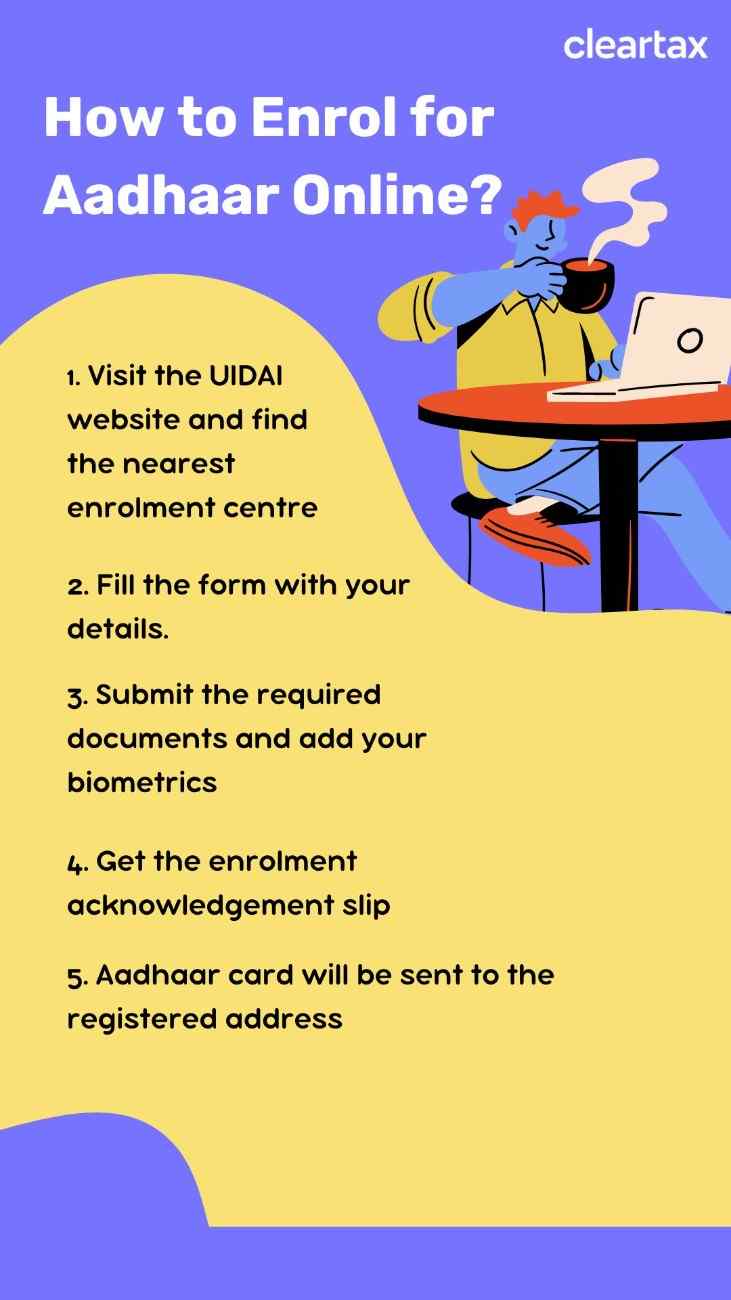
How to Enrol for Aadhaar?
How to Update Aadhaar?
The Aadhaar card update process can be completed via two modes, i.e. through an online portal or Aadhaar enrolment centers. While the Aadhaar address can be updated through any of the above two modes, updating other demographic details, such as name, gender date of birth, and biometric data is possible only through the enrolment centers.
What are the Documents Required for Aadhaar Card Name Change?
You only need to submit the Proof of Identity (POI) document for Aadhaar card name change. Although over 15 documents are accepted, listed below are some POI that can be submitted to change name in Aadhaar card:
- Passport
- PAN
- Voter ID
- Ration Card/PDS Card
- Driving License
- Government issued marriage certificate with photograph
- Pensioner Card
- Disability Card
- CGHS/ECHS/ESIC/Medi-Claim Card with Photo issued by State/ Central Govt./ PSUs
Aadhaar Card Name Change Form
You must download the form, fill out the required details and submit it to the Aadhaar enrolment centre or Aadhaar Seva Kendra. Alternatively, you can also visit the Aadhaar Seva Kendra and obtain the form, fill it out and submit it at the centre.
How to Change Name in Aadhaar Card Online without Proof?
You cannot complete the Aadhaar card name change process without valid identity proof. Keep at least one original proof of identity document with you while visiting the Aadhaar Seva Kendra or Aadhaar enrolment centre.
However, in exceptional cases, the UIDAI may consider alternative verification modes if the proof of identity document is not available. In such cases, contact the UIDAI office or the Aadhaar Seva Kendra, explain your situation and request them to accept other verification modes, such as personal details or biometrics data, to validate your identity.
Aadhaar Card Name Change after Marriage
Since it is a common practice in India to change surnames after marriage, UIDAI has made it possible to update your last name.
You can opt for Aadhaar card name change by downloading the Aadhaar Enrolment and Update Form, filling it up and submitting it to the Aadhaar Seva Kendra along with the fees and documents.
Aadhaar Card Name Change Status
Once you have submitted your Aadhaar update application, you will receive a URN. You can track the status of your request by following the below process:
- Click on ‘Check Aadhaar Update Status’ option under ‘My Aadhaar’.
- Select ‘URN’. Enter the URN and the captcha code and click ‘Submit’.
- The status of the Aadhaar update application will be displayed on the screen.
How to Download the Aadhaar Card after Name Change?
Once your Aadhaar card is ready with the updated name, you can download the updated version of your card from UIDAI website. However, it is important to note that to access the Aadhaar online, it is essential to have your mobile number registered with your Aadhaar. Here is the step-by-step guide to downloading Aadhaar after changing your name:
- Click on ‘Download Aadhaar’ option under the ‘Get Aadhaar’ tab.
- Select ‘Aadhaar Number’, enter the Aadhaar number, captcha code and click on ‘Send OTP’.
- Enter the OTP that you received on your mobile number.
- Select if you want a masked Aadhaar and click the ‘Verify & Download’ button to download a PDF of your e-Aadhaar card.
Although Aadhaar card name change online is no longer available, the offline process via Aadhaar Seva Kendra is quick, simple, and secure. Updating your Aadhaar card after a name change is important for maintaining accurate identity records across banks, government departments, and other services.
How To Change Address In Aadhaar Card Online & Offline?
Step 1: After logging in, select the option ‘Address Update’ tab.
Step 2: On the next page, click on ‘Update Aadhaar Online’ tab.
Step 3: Select ‘Address’ and click ‘Proceed to Update Aadhaar’.
Step 4: In the online form, the current address will be displayed. Scroll down enter the following details:
- Enter ‘Care of’ (father’s name or husband’s name)
- Enter the new address
- Select the post office
- Select the proof of address document from the ‘Valid Supporting Document Type’ dropdown list and upload the document
Step 5: After entering the above details, click ‘Next’. Preview the details and proceed to payment. Pay the non-refundable fees of ₹75.
A Service Request Number (SRN) will be generated. Save it for tracking status later.
Using new Aadhaar app
Step 1: Open the new Aadhaar app on your smartphone.
Step 2: Log in using Aadhaar credentials and complete authentication.
Step 3: Select the address update option.
Step 4: Enter the new address exactly as per POA.
Step 5: Upload a valid Proof of Address document.
Step 6: Pay the ₹75 update fee and submit the request. Note the Service Request Number (SRN) for tracking.
How to Change Address in Aadhaar Card Offline?
If you prefer an offline update or cannot upload POA, visit an Aadhaar Seva Kendra or authorised update centre.
Step 1: Visit the nearest Aadhaar Seva Kendra/authorised centre.
Step 2: Fill out the Aadhaar Update Form.
Step 3: Submit POA document and biometric authentication.
Step 4: Pay the fee of ₹75.
Step 5: Receive an acknowledgement slip with URN for tracking.
What are the Documents Required for Aadhaar Card Address Change?
Some of the popular Proof of Address (POA) are:
- Passport
- Bank statement (Passbook, Post Office Account Statement)
- Ration card
Voter ID Card 2026 – How to Apply, Documents Required, Track Status & Verification
A Voter ID card is an official photo identity document issued by the Election Commission of India (ECI) to eligible citizens for voting. Electors Photo Identity Card (EPIC) is issued by the Election Commission of India under the Representation of the People Act, 1951. Voter registration can be completed online or offline, making the process accessible across India.
Key Highlights
- Voter registration can be done by Indian citizens aged 18 and above.
- You can register online via the Voter Services Portal or offline at the Booth Level Office.
- Required documents include address proof, date of birth proof, and passport-sized photos.
- Form 6 for new voters, Form 6A for NRIs, Form 7 for deletion, and Form 8 for corrections.
What is Voter Registration?
Voter registration is the process through which an Indian citizen enrolls their name in the electoral roll maintained by the Election Commission of India. Only registered voters are eligible to vote in parliamentary, state, and local elections.
Once registered, the citizen is issued a Voter ID card (EPIC), which confirms that the individual is:
Listed in the electoral roll of a specific constituency
An Indian citizen
Aged 18 years or above
How to Register to Vote in India Before the Due Date?
Indian citizens can register to vote either online or offline.
Online voter registration
- Step 1: Click on the ‘Sign up’ option on the top right corner of the homepage.
- Step 2: Enter the mobile number, email ID and captcha code and click the ‘Continue’ button.
- Step 3: Enter ‘First Name’, ‘Last Name’, ‘Password’, ‘Confirm Password’, and click the ‘Request OTP’ button.
- Step 4: Enter the OTP received on the mobile number and email ID and click the ‘Verify’ button.
- Step 5: Log in to the Voter services portal by clicking the ‘Login’ button on the homepage, entering the mobile number, password, and captcha and clicking the ‘Request OTP’ button.
- Step 6: Enter the OTP received on your mobile number and click the ‘Verify & Login’ button.
- Step 7: Click the ‘Fill Form 6’ button on the ‘New registration for general electors’ tab.
- Step 8: Enter all the details on Form 6, which includes personal details, relatives details, contact details, Aadhaar details, date of birth details, address details, and declaration and upload the required documents in the given sections and click the ‘Preview and Submit’ button.
- Step 9: Check if the entered details are correct and click the ‘Submit’ button.
Offline voter registration
- Step 1: Visit the Booth Level Officer’s (BLO) office and obtain Form 6 or download Form 6 from the Voter Services Portal by clicking the ‘Download’ button on the ‘New registration for general electors’ tab
- Step 2: Fill out Form 6 accurately
- Step 3: Submit the required documents and the filled form to the BLO.
Verification Process
After submission of the voter registration application (online or offline), the Booth Level Officer (BLO) conducts field verification.
During verification:
- The BLO verifies the applicant’s address and identity documents
- Residential details are cross-checked as per Election Commission guidelines
- Any mismatch or false information can lead to rejection
If verification is successful:
- The applicant’s name is added to the electoral roll
- The Voter ID card is issued and dispatched, usually within 15–21 days
If verification is unsuccessful:
- If discrepancies are found, the application is cancelled
- The application must be resubmitted with the necessary corrections
Eligibility Criteria for Voter Registration in India
The individuals who fulfil the following conditions are eligible for voter registration in India:
- Citizen of India
- 18 years of age
- Have a permanent address in India
The following are not eligible for voter registration:
- A Non-Resident Indian (NRI) having citizenship of another country
- An individual with an unsound mind
- An individual convicted of certain crimes
- An individual serving a sentence of imprisonment for an offence
Documents Required for Voter Registration
Applicants must furnish the following documents:
- Address Proof:
- Utility bills (Water, electricity or gas bills that are not older than a year).
- Current passbook of a public sector bank, scheduled bank or post office.
- Registered rental or lease agreement (in case of a tenant).
- Registered sale deed (in case of own land).
- Aadhaar card.
- Indian Passport.
- Revenue department’s land-owning records, including KisanBahi.
- Proof of Date of Birth:
- Certificates of class X or class XII issued by the CBSE, ICSE or State Education Boards containing the date of birth.
- Birth certificate issued by the competent local body, municipal authority, or Registrar of births and deaths.
- Driving license.
- Aadhaar card.
- PAN card.
- Indian Passport.
- Two recent passport-sized photographs (the photo should be taken in less than six months before submission).
Check Voter Registration Status
You can check voter registration status online through the official government portal.
- Step 1: Click the ‘Login’ button.
- Step 2: Enter the mobile number, password and captcha code and click the ‘Request OTP’ button.
- Step 3: Enter the OTP and click the ‘Verify and Login’ button.
- Step 4: Click the ‘Track Application Status’ tab.
- Step 5: Enter the reference number, select state and click the ‘Submit’ button.
- Step 6: The voter registration status will be displayed on the screen.
The reference ID is a unique number assigned to your voter registration application. You will get the acknowledgement slip when you submit the Form 6 application, which will contain the reference ID number.
You can also check voter registration status by visiting your area’s Electoral Registration Officer (ERO) and providing your name, date of birth, and address details. The ERO will check and give you the voter registration status.
Importance of Voter Registration in Indian Democracy
Voter registration is fundamental to the functioning of Indian democracy. It is important because:
- Only registered voters can legally cast a vote in elections
- It ensures fair representation by linking voters to the correct constituency
- It prevents duplicate or fraudulent voting
- It allows citizens to participate directly in democratic decision-making
- Without voter registration, an individual cannot vote, even if they meet the age and citizenship criteria.
Mistakes to Avoid while Registering Voter ID Online
A few things to watch out for while Voter ID Card online registration are:
- Ensure that you are using the correct form to register for a Voter ID:
- Form 6- for first-time voters
- Form 6A- for NRI voters not having citizenship of another country
- Form 7 – to object to an application for inclusion on the electoral roll
- Form 8 – for correction of details on an existing Voter ID
- You need to ensure all the supporting documents have been submitted along with your registration to ensure that all the details provided by you are correct.
- While filling out the form, you must ensure all the details are error-free. If any such error does occur, the same will be reflected on your Voter ID. Always double-check the information you fill in the form for spelling errors or any other errors.
Final Word
Completing your voter registration is essential to exercise your right to vote in India. Through online voter registration, you can easily ensure your details are up-to-date and be ready to vote in upcoming elections.
Key Highlights
- Can be applied for online, semi-online, or offline through official government portals.
- Digital version (e‑EPIC) available for download and storage in DigiLocker.
- NRIs can register using Form 6A, but remote voting is not yet available.
- New Voter ID cards are now delivered within 15 days of approval under the Election Commission’s fast-track system.
- The Voter ID is dispatched directly to the applicant’s registered residential address.
Structure of Voter ID
A voter ID card is an accepted form of personal identification in India as it is issued by a government body. The voter ID consists of the following details:
A unique Serial number
Photograph of the cardholder
A hologram containing the respective state/national symbol
Name of cardholder
Father’s Name of cardholder
Gender of cardholder
Card holder’s Date of Birth
The card holder’s residential address and signature of the issuing authority (Electoral registration officer) are on the rear side of the voter ID card.
Voter ID Card Eligibility
In order to be eligible for a Voter ID card, individuals must meet the following criteria:
- An Indian citizen
- Must be aged 18 years or above
- Must have a permanent address
How to Apply for a Voter ID Card?
A citizen of India can apply for a voter ID in three ways; online, offline or through semi-online methods.
I. How to Apply for Voter ID Card Online?
Step 1: Click on the ‘Sign-Up’ option available on the top right corner of the homepage.
Step 2: Enter your mobile number, email ID and captcha code and click ‘Continue’.
Step 3: Enter your ‘First Name’, ‘Last Name’, ‘Password’, ‘Confirm Password’, and click the ‘Request OTP’ button.
Step 4: Enter the OTP sent to your mobile number and email ID and click ‘Verify’.
Step 5: Log in to the Voters’ Services portal by clicking the ‘Login’ button, entering your mobile number, password, and captcha and clicking the ‘Request OTP’ button.
Step 6: Enter the OTP sent to your mobile number and click the ‘Verify & Login’ button.
Step 7: Click the ‘Fill Form 6’ button under the ‘New registration for general electors’ tab.
Step 8: Enter all the details on Form 6, which includes personal details, relatives details, contact details, Aadhaar details, date of birth, address, and declaration. Upload the required documents in the given sections and click the ‘Preview and Submit’ button.
Step 9: Check if the entered details are correct and click ‘Submit’.
II. How to Apply for Voter ID Card Semi-Online?
Step 2: Click on the ‘Download’ option under the ‘New registration for general electors’ tab.
Step 3: Form 6 will be downloaded. Take a print out of Form 6.
Step 4: Fill in the Form 6 with the required details.
Step 4: Submit the completed Form 6 along with a photo and supporting documents at an Election Office near you.
III. How to Apply for Voter ID Card Offline?
Step 1: Visit the nearest State Election Office and request.
Step 2: Fill in the Form 6 with the required details.
Step 3: Submit the completed Form 6 along with a photo and supporting documents at the Election Office.
Documents Required For Voter ID Card
Applying for a Voters ID requires you to submit the following documents:
- Proof of identity
- Proof of address
- Proof of date of birth
- Photograph
How to Track Status of Voter ID?
Voter ID Status – How to Check Voter ID Card Status?
A Voter ID card (EPIC) is essential for voting in elections and serves as valid identity proof across India. After applying for a new Voter ID, correction, address update, or duplicate card, you can track your voter ID status online through the National Voters’ Services Portal (NVSP).
This guide explains how to check voter ID status, how to track applications via reference number, how to check name in the voter list, and how to download your digital Voter ID (e-EPIC).
Key Highlights
- You can perform a voter ID status check online using your reference ID on the NVSP portal.
- Voter ID applicants can track status for new applications (Form 6), corrections (Form 8), address changes, or duplicate EPIC.
- You can also verify whether your name is included in the electoral roll via EPIC number, mobile number or personal details.
- A digital voter ID (e-EPIC) can be downloaded once the application is approved.
- Offline status checks are also possible via the Booth Level Officer (BLO) or Electoral Office.
How to Check Name in Voter List?
These steps will guide you through the process of finding your name in the voter list.
Step 1: Navigate to the ECI Website
Step 2: Access the Elector Menu
On the home page, locate and click on the ‘Search Your Name in Electoral menu’ tab.
Step 3: Enter Search Details
To locate your name on the electoral roll, you can enter your EPIC number or Voter ID, select state and enter the captcha code in the provided fields and click ‘Search’.
If you do not have your EPIC number or Voter ID handy, you can still perform the search by selecting the ‘Search by Details’ or ‘Search by Mobile’ option by entering the following details:
- Personal information such as your name, relative’s name, date of birth, gender, district and assembly area.
- Your registered phone number.
Procedure to View Name in PDF Electoral Roll
Step 3: Select the State, District, Assembly Constituency and Language and enter the captcha code.
Step 4: Scroll down to view the polling station details. Click on the blue arrow against your part details to download the Voter List.
The PDF Electoral Roll will be downloaded, and you can open the PDF to view your name in the downloaded PDF Electoral Roll.
Details in Voter ID Card
Voter ID is an identity proof of an individual. It contains the following information:
- A unique Serial number (EPIC Number)
- Photograph of the cardholder
- A hologram containing the respective state/national symbol
- Name of cardholder
- Father’s Name of cardholder
- Gender of cardholder
- Card holder’s Date of Birth
- Card holder’s residential address
- Signature of the issuing authority (Electoral registration officer)
How to Apply for Voter ID Card Online?
Step 2: Click on the ‘Sign-Up’ option available on the top right corner of the homepage.
Step 3: Enter your mobile number, email ID and captcha code and click ‘Continue’.
Step 4: Enter your ‘First Name’, ‘Last Name’, ‘Password’, ‘Confirm Password’, and click the ‘Request OTP’ button.
Step 5: Enter the OTP sent to your mobile number and email ID and click ‘Verify’.
Step 6: Log in to the Voters’ Services portal by clicking the ‘Login’ button, entering your mobile number, password, and captcha and clicking the ‘Request OTP’ button.
Step 7: Enter the OTP sent to your mobile number and click the ‘Verify & Login’ button.
Step 8: Click the ‘Fill Form 6’ button under the ‘New registration for general electors’ tab.
Step 9: Enter all the details on Form 6, which includes personal details, relatives details, contact details, Aadhaar details, date of birth, address, and declaration. Upload the required documents in the given sections and click the ‘Preview and Submit’ button.
Step 10: Check if the entered details are correct and click ‘Submit’.
How to Apply for Voter ID Card in Offline?
Step 1: Visit your nearest Electoral Office and request Form 6.
Step 2: Enter all the details on Form 6.
Step 3: Attach the required documents along with Form 6 and submit it to your nearest Electoral Office.
Step 4: A Booth Level Officer may visit your house to verify the details entered in the application.
Step 5: Once your details are verified, the office will issue the Voter ID card via post to your registered address.
Documents required for Voter ID card
- One recent passport-size photograph.
- Aadhaar card
- Photo-copies of Proof of Date of Birth document. The following documents can be submitted for Proof of Date of Birth:
- Birth certificate issued by the competent Municipal authority, local body or Registrar of Births and Deaths
- Aadhaar card
- PAN card
- Driving license
- Certificates of Class X or Class XII issued by the CBSE, ICSE or State education boards
- Indian Passport
- Photo-copies of Proof of Address document. The following documents can be submitted for Proof of Address:
- Water, electricity or gas connection bill not older than one year
- Current passbook of Nationalised bank, Scheduled bank or post office
- Revenue Department’s Land Owning records, including Kisan Bahi
- Registered rent or lease deed (In case of tenant)
- Registered sale deed (In case of own house)
- Passport
Eligibility to apply for Voter ID card
- Indian citizens who have attained the age of 18 years on the qualifying date, i.e., the first day of January of the year of revision of the electoral roll.
- The individual should be an ordinary resident in the constituency.
How to Check Voter ID Status?
Step 2: Click the ‘Login’ button.
Step 3: Enter your mobile number, password and captcha code and click the ‘Request OTP’ button.
Step 4: Enter the OTP and click the ‘Verify and Login’ button.
Step 5: Click the ‘Track Application Status’ tab.
Step 6: Enter the reference number, select State and click the ‘Submit’ button.
Step 7: The voter registration status will be displayed on the screen.
The reference ID is available on the acknowledgement slip provided to you when you submit the voter registration application.
How to Download the Voter ID Card Online?
Step 2: Click the ‘Login’ button.
Step 3: Enter your credentials and OTP to log in.
Step 4: Click on the ‘E-EPIC Download’ tab on the homepage.
Step 5: Select the ‘EPIC No.’ or ‘Form Reference no.’.
Step 6: Enter the EPIC number or the reference ID number, select the State and click on the ‘Search’ button.
Step 7: The Voter ID details will be displayed on the screen. Click on the ‘Send OTP’ button. Please note that your mobile number must be updated on the NVSP to receive the OTP. You can update your mobile number on the NVSP website by filling ‘Form 8’.
Step 8: Enter the OTP received on your registered mobile number and click the ‘Verify’ button.
Step 9: Once the OTP is verified, click the ‘Download e-EPIC’ button.
How to Update Address in Voter ID Online?
Step 2: Surf and find the ‘Shifting of Residence/Correction of Entries in Existing Electoral Roll’ section on the main page.
Step 3: Tap on the ‘Form 8’ button. You will be redirected to a new page where you should enter the required details.
Step 4: Select the option ‘Self’ and click ‘Submit’.
Step 5: Select the option ‘Shifting of Residence’. Next, select ‘Within Assembly Constituency’ or ‘Outside Assembly Constituency’ and click ‘Ok’.
Step 6: Select the ‘State, District and Assembly/Parliamentary Constituency’ to which you belong and click ‘Next’.
Step 7: Provide your Aadhaar number, email and mobile number and click ‘Next’.
Step 8: Enter the address and the supporting documents required for the address change.
Step 9: Upload the supporting document and click ‘Next’.
Step 10: Fill in the declaration, enter the captcha code and click ‘Submit’.
Once you go through the above-mentioned steps, the ECI or Election Commission of India will process your request. After successful processing, relevant changes will be made to your Voter ID card.
How to Update Address in Voter ID offline?
Step 1: Visit your nearest Electoral Office.
Step 2: Collect Form 8 and fill it up with all the necessary information.
Step 3: Submit Form 8 along with proof of residence document to the nearest Electoral Office.
Once your application is processed and verified, you will receive a new voter ID card.
How to Apply for Duplicate Voter ID Card Online/ Offline?
Step 1: Visit the Election Commission of India website and download ‘Form EPIC-002’. You can also obtain the Form EPIC-002 from the nearest Electoral Office.
Step 2: Fill the form with all the necessary details, including your name, age, relative’s name, address, EPIC details, etc.
Step 3: Attach all required documents, such as a copy of Aadhaar card, FIR, etc., along with the form and submit it to the nearest Electoral Office.
Once the application is processed and verified, you will be notified to collect your duplicate Voter ID card from your local Electoral Office.
Final Word
Performing a voter ID status check is essential after submitting any voter-related application, whether it’s new registration, correction, or address update. With easy online options through NVSP and ECI portals, you can track your voter ID card status online, verify your name in the electoral roll, and download your digital Voter ID.
